How To Generate an Invoice When You Pay Grandparents or Other Relatives for Childcare
Your mom watches the kids two days a week. You've been paying her in cash, but you have no idea how to document it for your Dependent Care FSA. You're worried about getting rejected because you don't have "proper" invoices.
Good news: generating FSA-compliant invoices for relative childcare is easier than you think.
💡 Can you actually pay relatives with your FSA?
Yes! You can use your Dependent Care FSA to reimburse payments to grandparents, aunts, uncles, and other relatives—as long as you meet IRS requirements. For full details on staying compliant, check out our guide: Can You Pay Grandparents With Your Dependent Care FSA?
Part 1: Generate Your Invoice in ExpenseFam
Step 1: Login to ExpenseFam
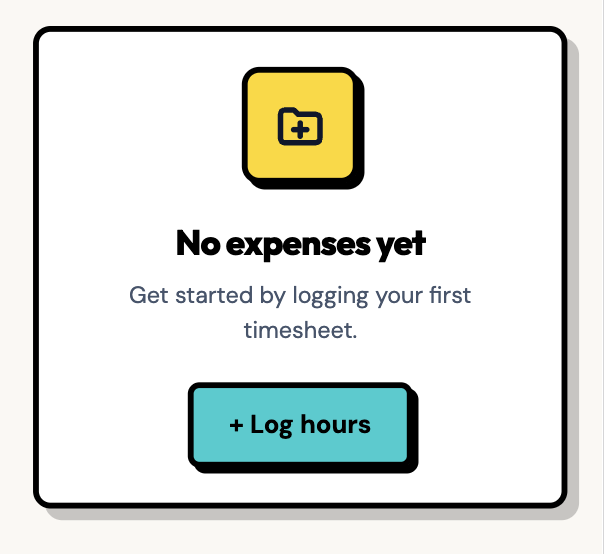
Head to ExpenseFam and login, or start a new free trial, then click Log hours.
Step 2: Enter caregiver and payment details
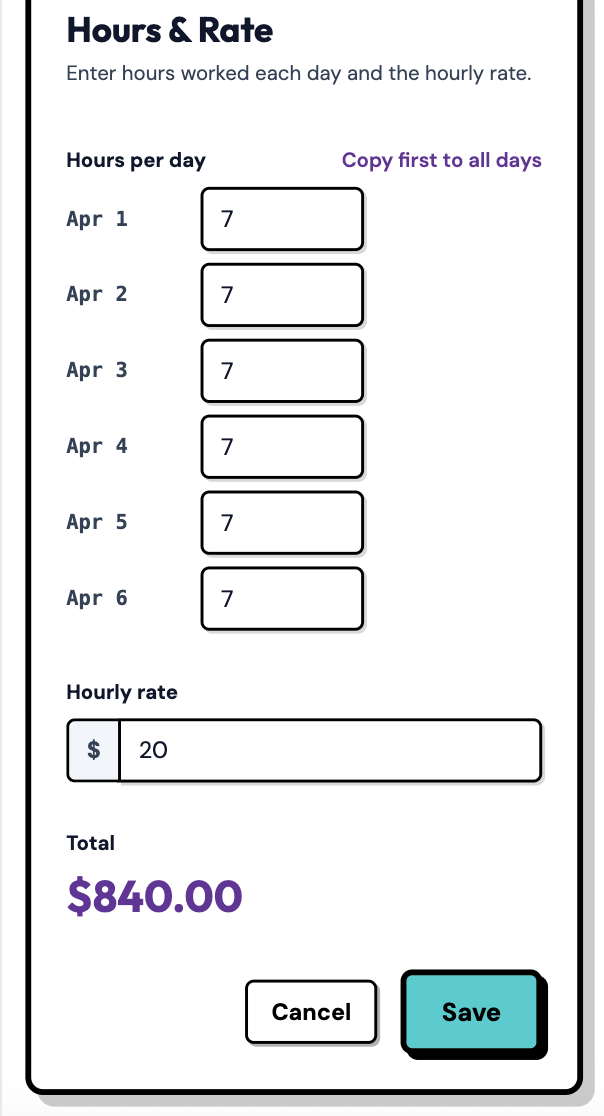
As a one-time setup: enter your relative's full name, Tax ID or SSN, address and any other required info. Then select the days and enter the hours you're submitting. Click Save.
⚠️ Important: IRS Requirements for Paying Relatives
To use your FSA to reimburse payments to relatives, you must:
- Provide their full legal name, address, and Social Security Number (or Tax ID)
- Ensure they report the income on their taxes
- Confirm the care is for work purposes (enabling you to work or look for work)
- Not pay your spouse, the child's parent, or a dependent child under 19
Learn more: Can You Pay Grandparents With Your Dependent Care FSA?
Step 3: Mark it paid
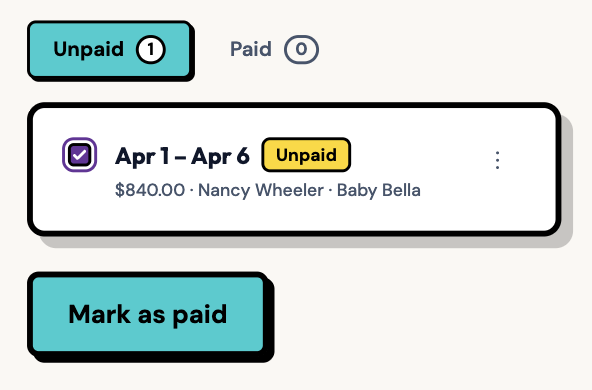
Once you've sent payment (cash, Venmo, Zelle, check, etc.), click Mark as paid. Optionally: attach a screenshot or receipt to stay organized in case you need it for taxes or documentation purposes.
💰 Payment Methods for Relative Childcare
You can pay relatives via cash, Venmo, Zelle, PayPal, check, or direct deposit. The payment method doesn't matter for FSA purposes—what matters is having proper documentation (hours worked, rate, total amount, and caregiver information).
Step 4: Generate the invoice
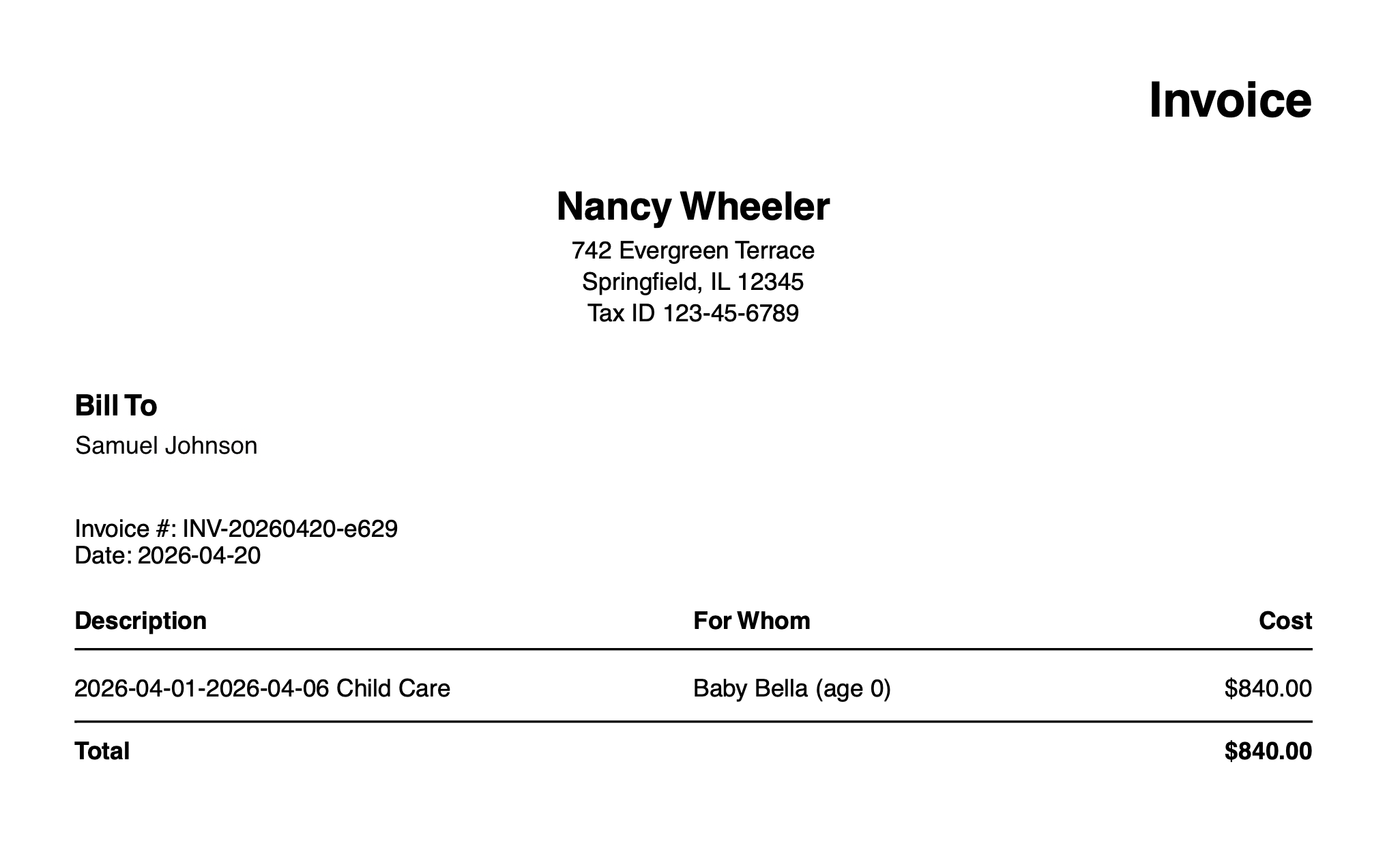
Click Generate Invoice to download the PDF you'll submit to your FSA provider.
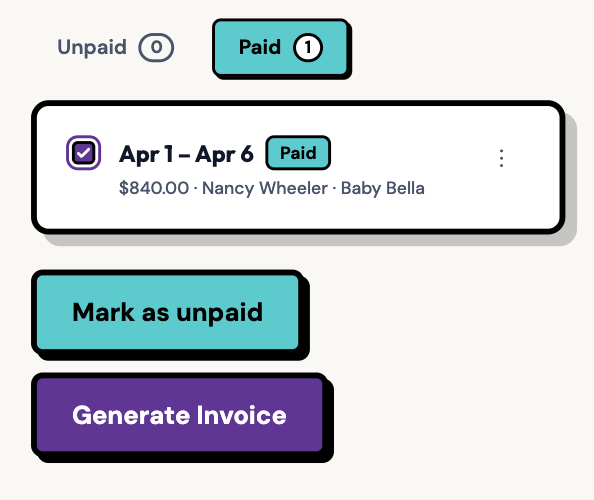
Navigate to your downloads folder to find the invoice PDF. Open it and make sure everything looks correct.
Part 2: Submit Your Invoice to Your FSA Provider
Now that you have your FSA-compliant invoice, the final step is submitting it to your workplace's FSA administrator.
Common FSA Providers
Your FSA may be administered by companies like:
- Navia Benefits – See our Navia-specific guide
- WageWorks (HealthEquity)
- FSAFEDS
- Optum Financial
- Payflex
- Further
- P&A Group
General Submission Process
While each provider has slightly different interfaces, the submission process is generally the same:
- Log into your FSA account – Usually through your benefits portal or the provider's website
- Navigate to "Submit a Claim" or "File a Claim"
- Select your Dependent Care FSA account and the claim year
- Upload the invoice PDF you generated in ExpenseFam
- Enter claim details:
- Service provider name (your relative's name)
- Service provider Tax ID (their SSN or Tax ID)
- Service dates (from and to dates on the invoice)
- Total amount paid
- Review and submit – Double-check all information matches your invoice
✅ What Your FSA Provider Needs
Your invoice from ExpenseFam includes everything FSA providers require:
- Caregiver's full name, address, and Tax ID
- Service dates and hours worked
- Hourly rate and total amount paid
- Your name and contact information
- Statement that services were for dependent care
What Happens Next?
After submitting your claim:
- Review period: Most FSA providers review claims within 3-5 business days
- Approval: If approved, you'll receive reimbursement via direct deposit or check (typically within 7-10 business days)
- Requests for additional information: If the provider needs clarification, they'll contact you. Common requests include:
- Proof of payment (bank statement, Venmo screenshot, canceled check)
- Additional documentation about the caregiver relationship
- Confirmation that care was for work purposes
💡 Pro Tip: Keep Digital Records
Save copies of all invoices, payment receipts, and FSA claim confirmations. If you're audited, you'll need to prove the payments were for eligible childcare expenses. ExpenseFam keeps all your records organized in one place, so you never lose track of documentation.
Staying Tax Compliant When Paying Relatives
Paying relatives for childcare through your FSA is completely legal and legitimate—but there are important IRS rules to follow:
- They must report the income: Your relative must report payments as taxable income on their tax return
- You may have household employment tax obligations: If you pay a relative $2,700+ in 2026, you may need to withhold Social Security and Medicare taxes and file Schedule H
- The care must be for work purposes: The IRS requires that childcare enables you (and your spouse, if married) to work or actively look for work
- Document everything: Keep records of hours worked, payments made, and caregiver information
For complete details on IRS requirements, contribution limits, and tax obligations when paying relatives, read our comprehensive guide: Can You Pay Grandparents or Relatives With Your Dependent Care FSA?
Summary: Make Relative Childcare Documentation Easy
To recap:
- ✅ Use ExpenseFam to track hours and generate FSA-compliant invoices when paying grandparents or relatives for childcare
- ✅ Include all required IRS information: caregiver name, address, Tax ID, service dates, hours, and payment amount
- ✅ Submit your invoice to your workplace's FSA provider (Navia, WageWorks, FSAFEDS, etc.)
- ✅ Keep digital records of all invoices, payments, and FSA claims for tax purposes
- ✅ Follow IRS rules: Ensure care is for work purposes, relatives report income, and you handle any household employment taxes if required
Stop scrambling for receipts and handwritten notes. Document your relative childcare payments the right way.
If you're tired of tracking payments in text messages or worrying about FSA rejections, ExpenseFam can help. Log hours, generate professional invoices, track payments, and keep all your childcare documentation organized in one place—so you never leave FSA money on the table again.
Start Your Free Trial